How do I add the printer to my computer?
First we need to download the driver for the printer
https://www.usa.canon.com/support/p/imagerunner-advance-dx-c5870i

After doing so, extract the drivers to a folder
Next hit the windows key on your computer.
Next type Control Panel

From there select View devices and printers. At the top select Add a Printer

Next select the printer I want isn't listed.

Next select add using IP address or host name,

Change device type to TCP/IP
Finally add the IP address of 172.16.32.57 to the space marked Hostname or IP address

Next we need to install the driver for the printer. After you entered the IP address and hit next you should get a window asking for the printer driver

Click on the have disk button and a new window will appear

Click on browse and go to where you unzipped the folder for the printer driver from earlier. Within the folder will be an another folder titled Driver, and within that will be the file we need
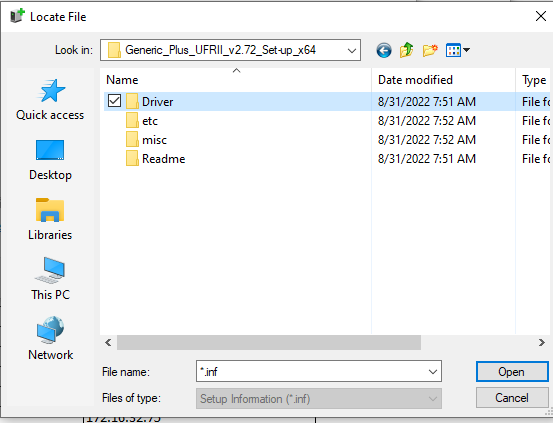

From there hit next and you should have the printer connected and able to use.